The latest VidFabs is the most complete version yet, and it stays true to the one promise that has never changed: every frame is processed on your own machine. A bundled FFmpeg engine does all the cutting, encoding, subtitling and converting locally — your files never get uploaded, and the only network call during editing is the optional LLM that AI Clips uses to pick highlights. (Why that matters — upload time, file-size caps, where footage ends up — is covered in Why use an offline video editor?)
Here’s what that engine now drives, page by page.
The Editor: seven effects, one export
The Editor is where VidFabs opens. Instead of running a clip through one tool after another — re-encoding and losing a little quality each time — you stack effects on a single live preview and render exactly once.
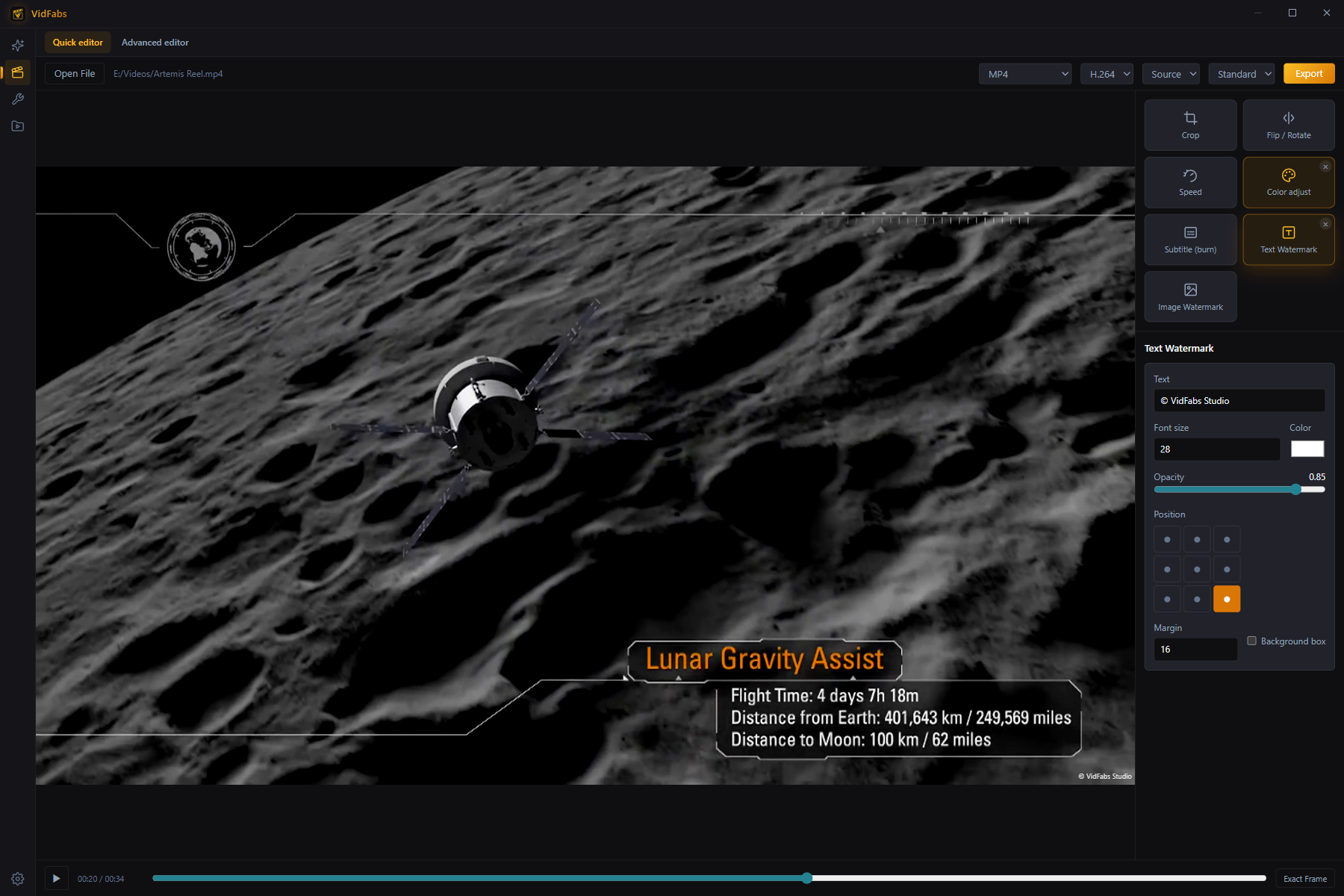
You can combine up to seven effects in any order: crop, flip/rotate, speed, color, subtitle burn, text watermark, and logo watermark. Tune them against the preview, choose your export container (MP4, MKV, WEBM or MOV), and export. Free exports go up to 1080p H.264 at Standard quality; Pro unlocks 4K, H.265/HEVC for smaller files, and High/Max quality presets. The full walkthrough lives in the Editor guide.
Update (1.2): this editor is now called the Quick editor, and a Pro Advanced editor adds a frame-accurate timeline.
AI Clips: long videos into shorts, hands-free (Pro)
AI Clips is the flagship Pro feature. Point it at podcasts, streams, lectures or gameplay commentary — up to 20 videos in one queue — and it produces ready-to-post vertical clips with burned-in captions.
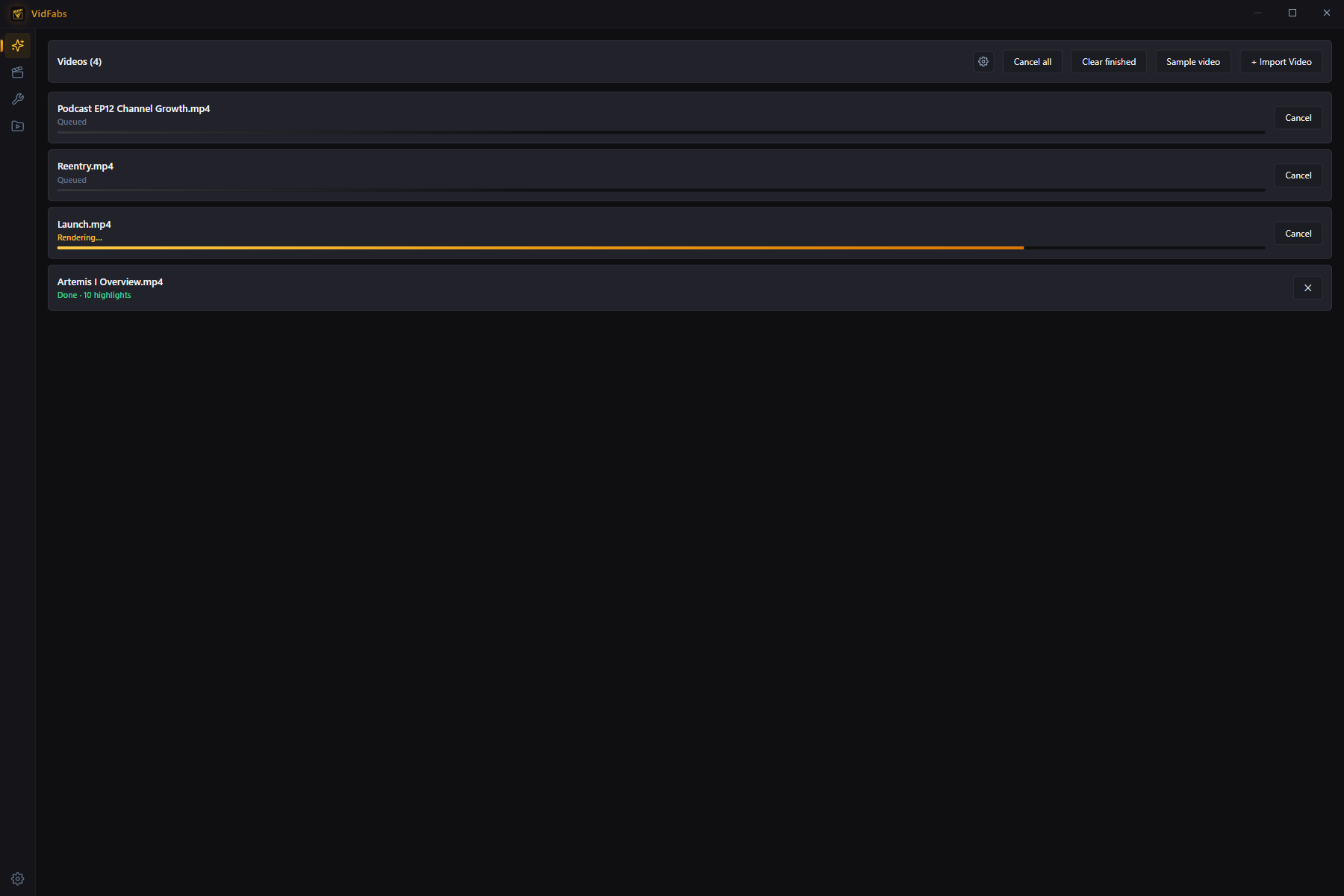
Every video moves through a fully visible pipeline: transcribe locally with a Whisper-family speech model, select up to 10 highlights with your own OpenAI-compatible LLM, then render each clip reframed and captioned. Transcription never leaves your device — only the text transcript is sent to the LLM endpoint you configured. See the AI Clips guide for the full setup.
Toolbox: 12 single-purpose batch tools
When you don’t need the full editor, the Toolbox has focused tools that each do one job across up to 20 files at once, with a live ETA, a cancel button, and one-click access to the output folder.
- Convert — the Format converter rewraps to MP4, MKV, WEBM or MOV, choosing a lossless remux over a re-encode whenever the codecs already fit.
- Edit — trim, merge, and extract audio: cut head and tail by timecode, concatenate clips with an up-front compatibility check (see how to merge videos into one), or pull the audio out as MP3/M4A/OGG/FLAC.
- Adjust — crop, flip/rotate, color, and speed: aspect presets, mirror and rotate, brightness/contrast/saturation/gamma, and 0.25×–4× speed with pitch-corrected audio.
- Subtitle & Watermark — burn or embed subtitles, add text or logo watermarks.
That’s twelve tools in four groups, all sharing the same batch engine.
My Files: everything in one place
The redesigned My Files library keeps your Edited outputs and Imported sources in two sections with automatic thumbnails. Play a file, open its containing folder, or use Send to tool… to drop any file straight into one of the twelve toolbox tools.
Free vs Pro
Everything structural is free: the Quick editor and all twelve toolbox tools, no watermark, no trial clock. Pro raises the export ceiling to 4K / H.265 / High-Max quality and unlocks the full AI Clips pipeline with the highest-accuracy speech model and batch queueing. Monthly, yearly and lifetime plans are on the pricing section.
Get it
VidFabs runs on Windows 10 / 11 (64-bit) and needs no GPU — all encoding is CPU-based. AI Clips additionally needs disk space for the speech model (downloaded on first run) and an OpenAI-compatible LLM API key.
Download VidFabs for Windows — the macOS build is coming soon.