My Files is VidFabs’ media catalog. You never hunt through output folders: the app keeps track of your material for you.
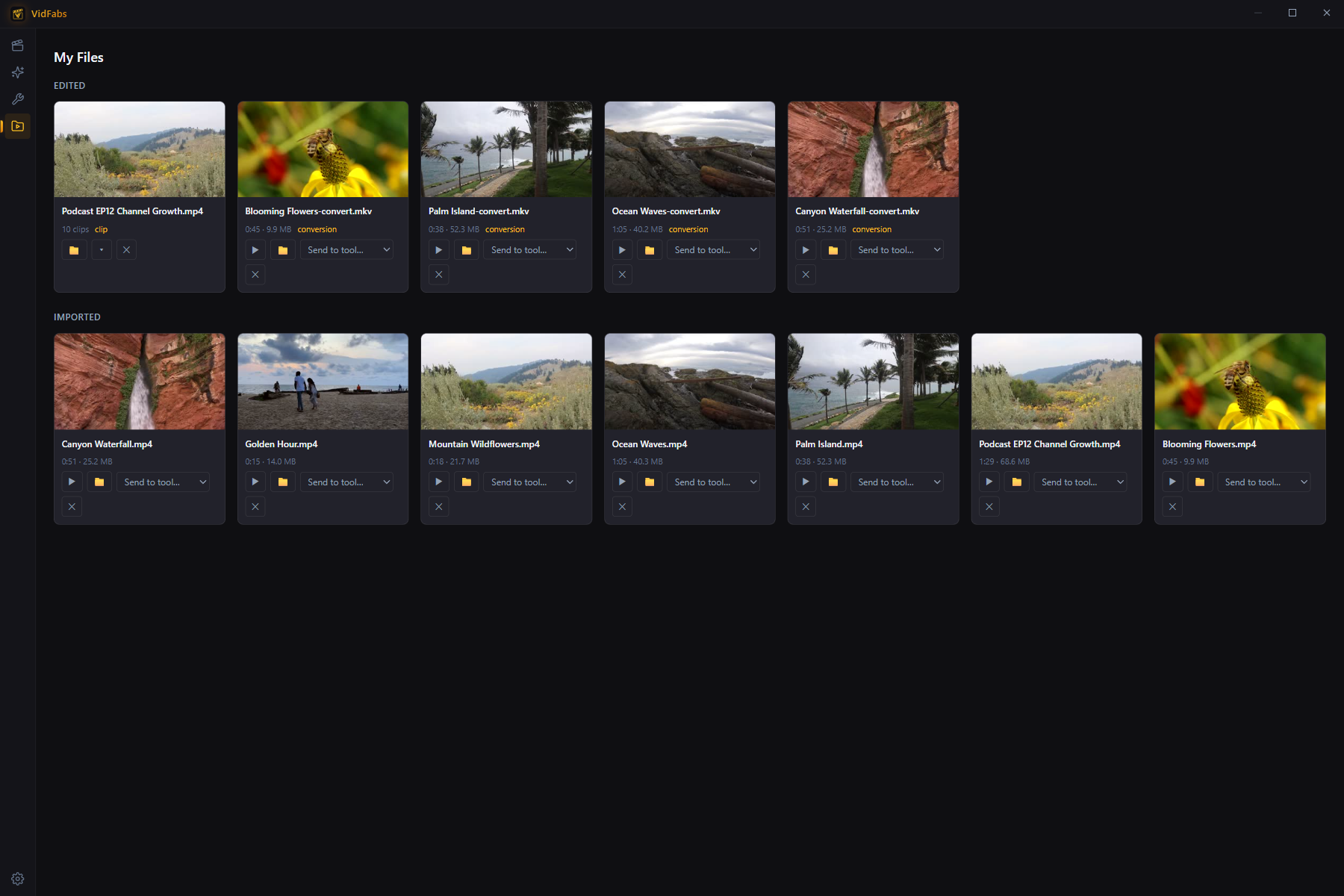
Two sections
- Edited — every file produced by the Editor, the Toolbox, or AI Clips, tagged with the tool that made it. Newest first.
- Imported — the source videos you’ve brought into the app.
Each card shows an auto-generated thumbnail, duration, and file size. If a file was moved or deleted outside the app, the card dims and is labeled “File missing” instead of breaking.
Card actions
- Play — opens the file in your system player.
- Open folder — reveals the file in Explorer.
- Send to tool… — the power move: pick any of the 12 toolbox tools from the dropdown and the file is loaded into it instantly. Convert an export, trim an import, watermark a merge result — no re-picking files through dialogs.
- Remove — takes the entry out of the catalog (the file on disk is not deleted).
Why it matters
Multi-step workflows become chains: trim a screen recording, send the result to the color tool, send that result to the text watermark tool — each hop is two clicks, and every intermediate product stays visible in the Edited section.