The Format converter lives in Toolbox → Convert. It converts any local video to MP4 / MKV / WEBM / MOV — in bulk.
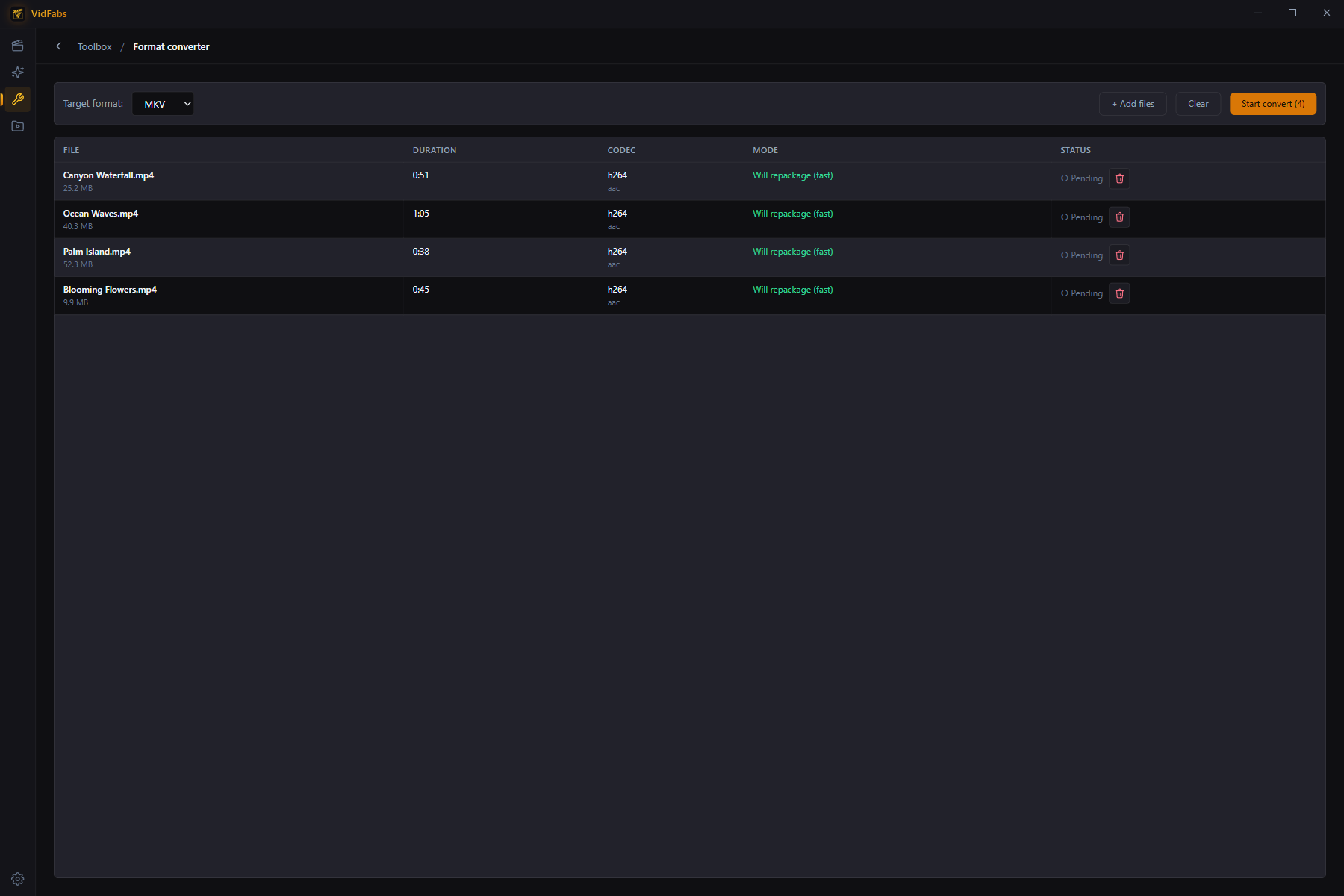
Smart mode selection
For every file the converter inspects the streams and shows which mode it will use before you start:
- Will repackage (fast) — the codecs already fit the target container, so the file is rewrapped without touching the video data. Lossless and near-instant.
- Will re-encode — the codecs don’t fit the target container (e.g. VP9 → MP4, or an H.264 file → WEBM), so VidFabs transcodes to H.264/AAC (VP9/Opus for WEBM).
You always know up front whether a conversion is a two-second remux or a real encode.
How to use
- Open Toolbox → Format converter.
- Drag in files (up to 20 per batch) or click Add files.
- Pick the Target format. Each row shows duration, codec, and the chosen mode.
- Click Start convert. Rows show live status and an ETA; cancel any time.
- When a file finishes, Open folder jumps straight to the output. Results also appear in My Files → Edited.
Typical uses
- Make MKV/MOV footage playable everywhere by rewrapping to MP4 — losslessly.
- Produce WEBM for web embedding.
- Normalize a mixed folder of downloads into a single consistent format.
Notes
- MP4 output is written with faststart, so it begins playing immediately when streamed from a web server.
- Files the app cannot probe (corrupt or unsupported) are flagged instead of silently failing the whole batch.