The Editor is VidFabs’ main workspace and the page the app opens on. Instead of running a video through several tools one after another (re-encoding each time), you enable any combination of effects, tune them against a live preview, and render a single output.
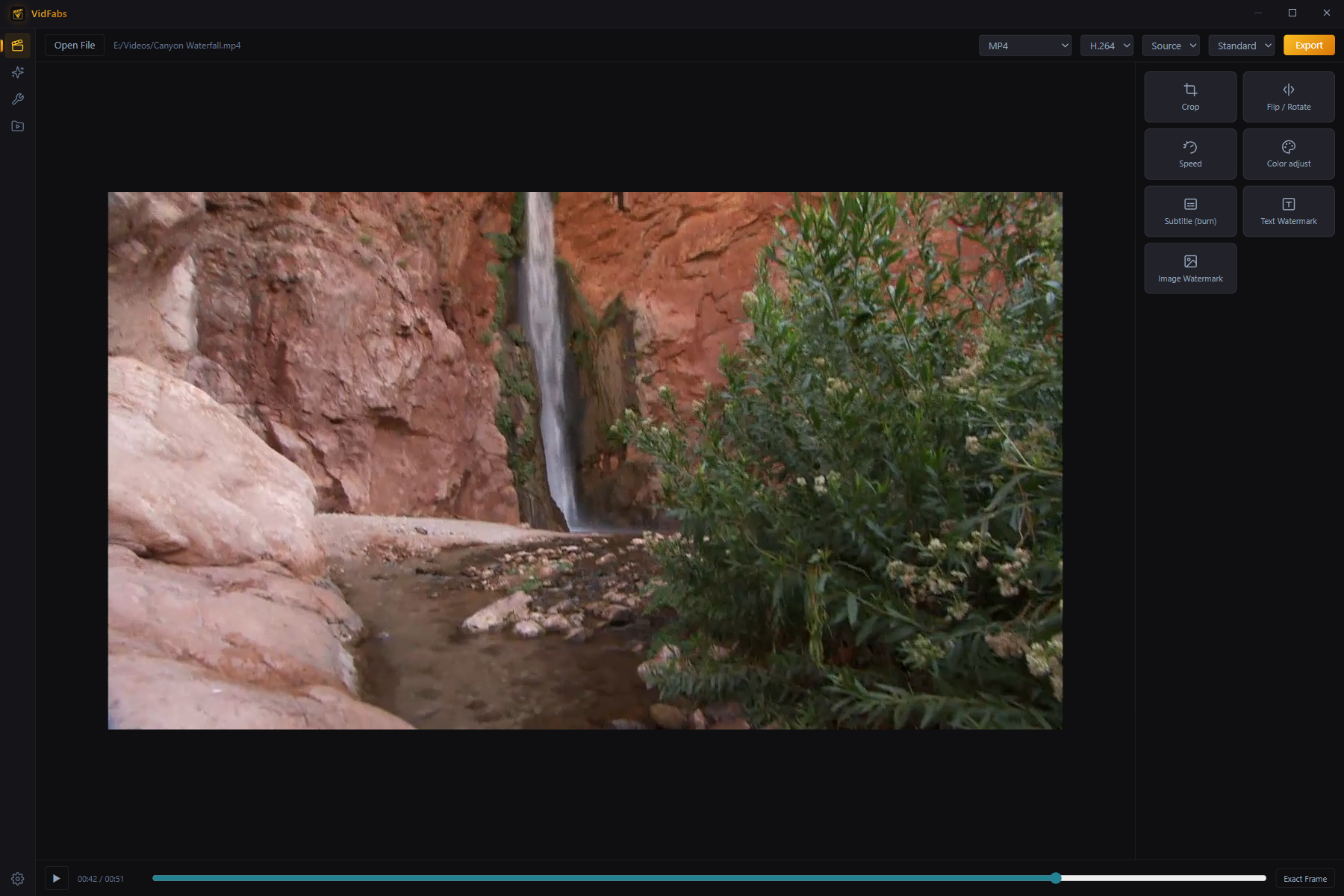
Import
Drag a video anywhere onto the page, or click Import Video. MP4, MOV, MKV, WEBM and most other common formats load directly.
Preview and transport
The center preview plays your source with all enabled effects approximated in real time. The transport bar gives play/pause, scrubbing, and an Exact Frame mode for frame-accurate positioning.
The effect stack
Seven effect panels can be enabled independently and combined freely:
| Effect | What you control |
|---|---|
| Crop | Aspect-ratio presets, 9-grid anchor, free width/height |
| Flip / Rotate | Horizontal/vertical mirror, 90°/180°/270° rotation |
| Speed | 0.25×–4×, audio pitch kept natural, output duration predicted |
| Color adjust | Brightness, contrast, saturation, gamma |
| Subtitle (burn) | An .srt/.ass/.vtt file burned into the picture — size, color, outline, position |
| Text watermark | Any text — font size, color, opacity, position, margin, background box |
| Logo watermark | A transparent PNG/logo — scale, opacity, position |
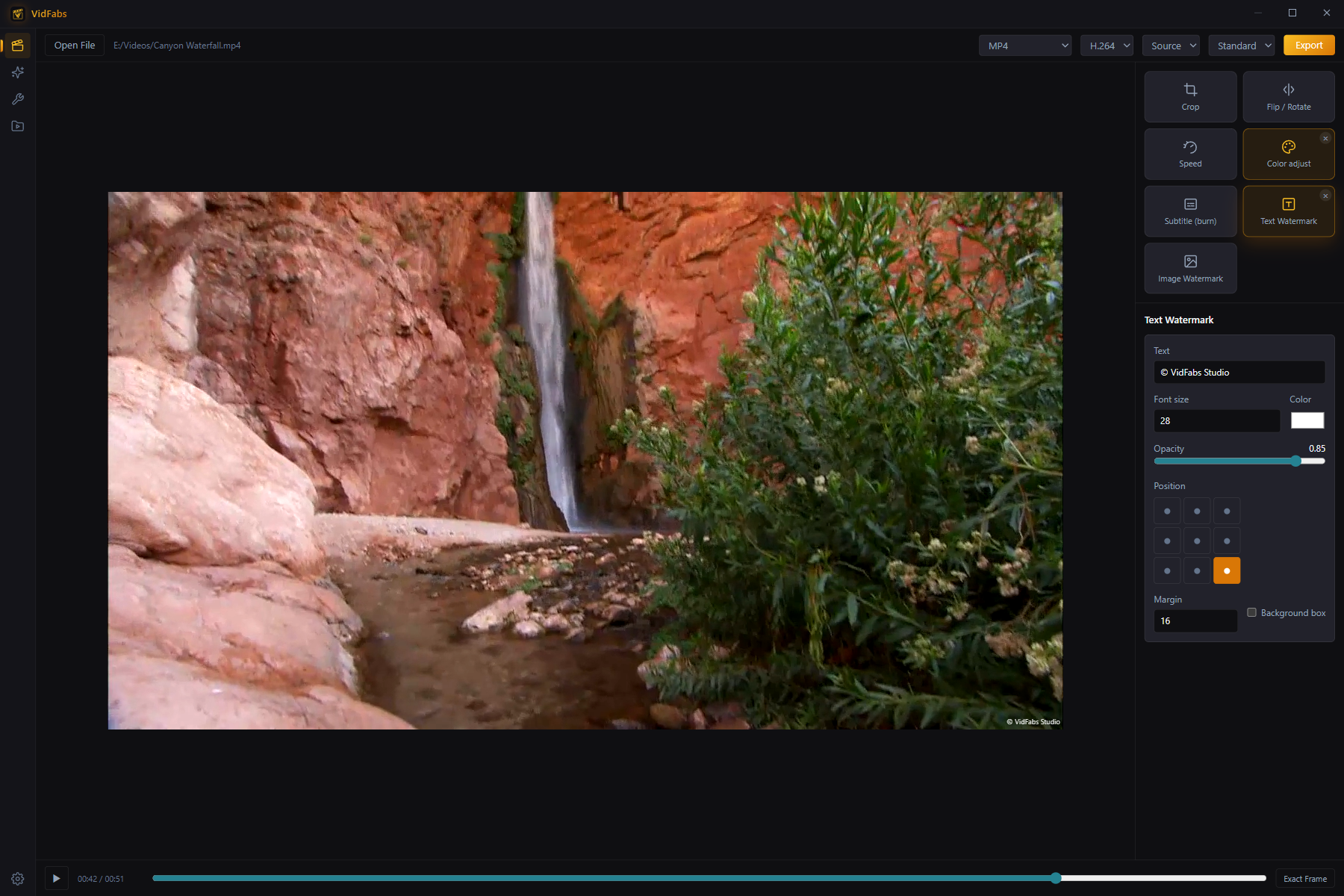
Enabled effects show a gold border; click the × on a card to drop that effect from the render. Everything composes into one FFmpeg filter chain, so the video is decoded and encoded exactly once.
Export
The header row holds the output settings:
- Format: MP4 / MKV / MOV / WEBM
- Codec: H.264, or H.265 for visibly smaller files (VIP)
- Resolution: Source / 720p / 1080p, plus 1440p and 4K (VIP)
- Quality: Standard, plus High / Max (VIP)
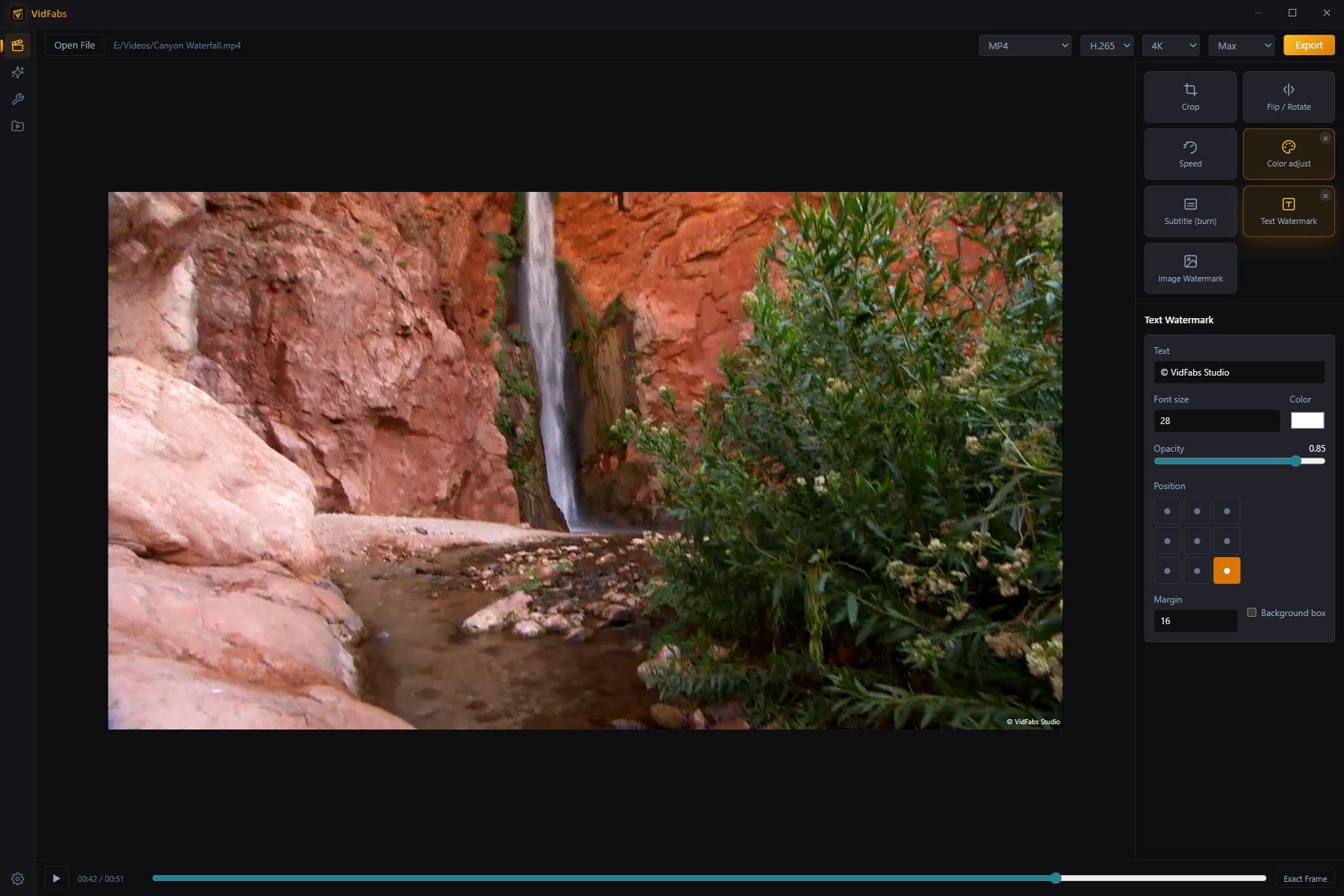
Click Export, watch the progress, then jump straight to the output file. Every export also appears under My Files → Edited.
Free vs VIP
The full editor and all seven effects are free. Free exports cap at 1080p · H.264 · Standard quality; VIP unlocks H.265, 1440p/4K, and the High/Max quality presets.
Tips
- Use the Toolbox instead when you need to process many files with the same single operation — toolbox tools batch up to 20 files per run.
- WEBM output always uses the VP9 codec (the codec selector locks accordingly) and encodes slower than MP4 — pick it only when you specifically need WEBM.